
Building My Own Home Server for MVP Development
How I built a low-cost private cloud for web apps, startup pilots, and self-hosting projects
Cloud infrastructure is powerful, but for early-stage MVPs, hobby projects, and pilot applications, recurring VPS or cloud costs can quickly become unnecessary overhead.
I wanted something simpler:
- Low cost
- Low power consumption
- Easy automation
- Full infrastructure control
- A hands-on self-hosting environment
So instead of renting servers, I built my own home infrastructure.
What started as a hobby quickly evolved into a surprisingly capable private hosting platform for running real web applications.
The Hardware: Small, Efficient, and Budget-Friendly
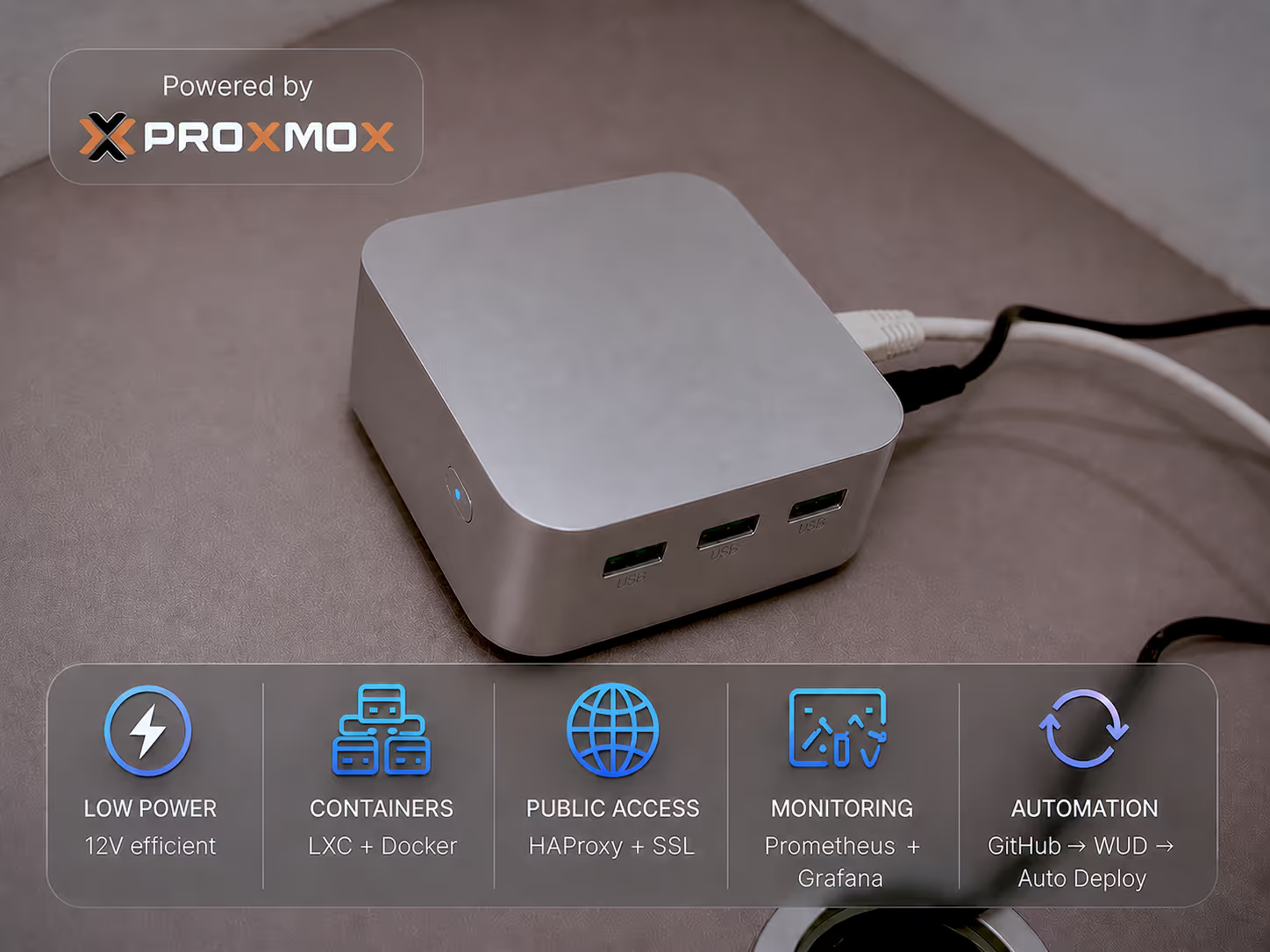
At the center of my setup is an Intel N100-based mini PC with:
- 16GB RAM
- Low-power 12V / 2–2.5A power consumption
- Very small physical footprint
- Quiet operation
These mini PCs are incredibly efficient.
One major advantage is power backup simplicity. Since the device runs similarly to home wifi routers, it can be powered using an inexpensive lithium-ion router UPS during outages, avoiding the need for expensive traditional battery backup systems.
This made it a perfect fit for home infrastructure.
Replacing Windows with Proxmox
Most mini PCs ship with Windows, but I wiped it immediately and installed Proxmox VE.
Why Proxmox?
Because it provides:
- Lightweight LXC containers
- Efficient resource management
- Easy administration
- Strong flexibility for hosting multiple isolated services
- Elimination of unnecessary OS overhead compared to Windows
Rather than heavy virtual machines, I primarily use LXCs, which provide Linux containerization with minimal overhead.
My Current Infrastructure Architecture
Core Services:
1. Database Layer
A dedicated PostgreSQL LXC serves as the shared database server for multiple applications.
2. Application Hosting
Each web application runs in separate LXCs with:
- Backend API service
- Frontend service
This keeps applications isolated while sharing infrastructure efficiently.
3. Reverse Proxy Layer
A dedicated HAProxy LXC handles:
- Domain-based request routing
- Reverse proxying
- TLS termination
- SSL certificate management via Let’s Encrypt + Certbot
- Basic security protections and rate limiting
I requested a static public IP from my ISP, forwarded ports 80 and 443, and securely exposed services to the internet.
This effectively gives me production-style web hosting from home.
4. Monitoring and Automation
A dedicated monitoring LXC runs:
- Prometheus
- Grafana
- WUD (for automated Docker image update monitoring)
This setup enables:
- Health monitoring
- Metrics visualization
- Automated deployment of updated Docker images
5. Home Automation
I also run Home Assistant on the same server for IoT and smart home management.
CI/CD at Home
This is where the setup becomes especially powerful.
My workflow:
- Code changes pushed to GitHub
- Automated Docker image builds
- Updated images published
- WUD detects updates
- Containers automatically redeploy
This means:
Idea → Code → Pull Request → Merge → Live deployment on personal infrastructure
For MVP development, this dramatically reduces friction.
Performance: Surprisingly Underutilized
Even while running all the above services mentioned, resource usage remains extremely low:
- CPU: ~1–3%
- RAM: ~3GB / 16GB
This leaves substantial capacity for:
- More applications
- Backups
- Additional automation
- AI/self-hosted tools
- Future scaling
Why This Setup Works So Well
For me, this home server achieves several goals simultaneously:
Cost Savings
A small upfront investment replaces recurring cloud expenses for pilot workloads.
Learning
It provides practical DevOps, networking, and infrastructure experience.
Full Control
I own the stack:
- Hardware
- Networking
- Security
- Deployment pipeline
Scalability
Despite being inexpensive, it has room for meaningful expansion.
Reliability
Low power usage + UPS compatibility makes it surprisingly resilient.
Future Plans
Next improvements include:
- Automated PostgreSQL backups
- More web applications
- Expanded self-hosted ecosystem
- Continued optimization of private infrastructure
Final Thoughts
For developers, indie hackers, and self-hosting enthusiasts, building a home server is no longer just a hobby project.
With modern low-power hardware, it’s possible to create a capable private cloud environment from home at a fraction of traditional infrastructure costs.
If your goal is to:
- Build MVPs cheaply
- Learn infrastructure deeply
- Maintain control over deployments
- Experiment freely
A home server may be one of the smartest investments you can make.
Sometimes, you don’t need expensive cloud infrastructure to build prototypes or pilot projects, a small machine at home is enough.